RTC SDK integration: make a two-person meeting work first
These guides are for developers adding video meetings to their own products. Your application owns user sign-in, meeting eligibility, and UI. AKStream.Next owns room control and authorization. The RTC SDK owns devices, media, state synchronization, and leaving the room. Begin with a receive-only join, then enable microphone and camera separately.
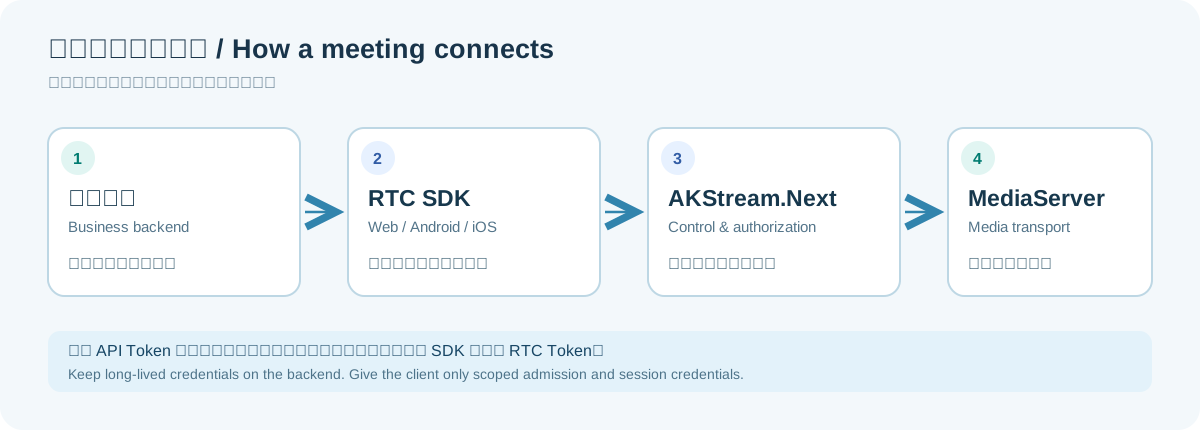
The backend keeps the long-lived API token; the client receives a one-use admission ticket.
Version boundary: These method references describe AKStream.Next the matching version, now built as a local eight-target release, and matching SDK sources. An older 1.0.0.157 server or installed mobile app lacks some recording/archive features. Match server, SDK, Demo, and installed app builds. Full current UniApp custom-base runtime and the new iPhone host recording-button touch flow are not yet claimed as cross-device acceptance.
sequenceDiagram
    participant User as Business user
    participant Backend as Your backend
    participant Server as AKStream.Next
    participant Client as RTC SDK
    User->>Backend: Request to join a business meeting
    Backend->>Backend: Check identity and eligibility
    Backend->>Server: Create room or issue one-use join ticket
    Server-->>Backend: roomId + accessTicket
    Backend-->>Client: Send approved device its join data
    Client->>Server: Join and maintain the session
    Client-->>User: Remote media and state events
Choose your client target
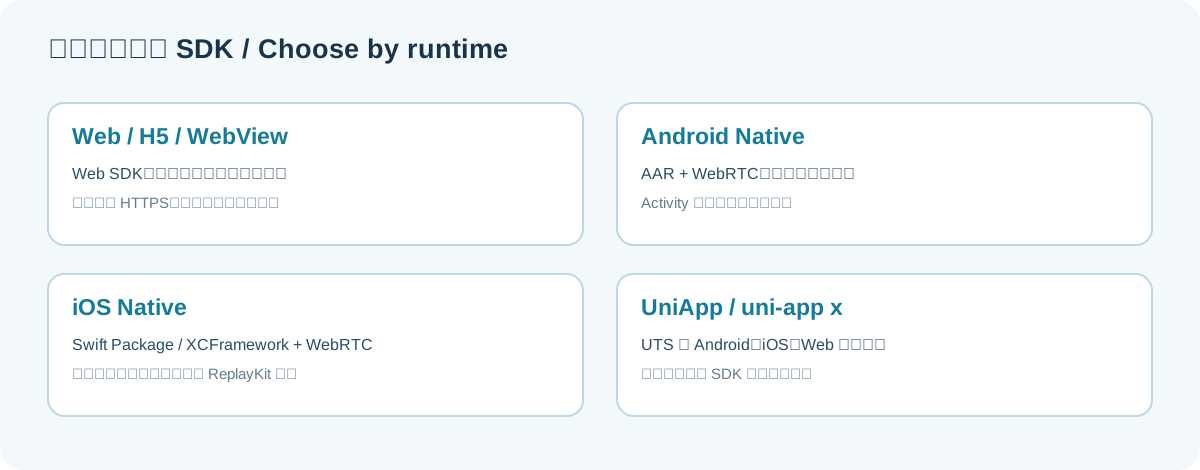
| Target | Start here | Pay attention to |
|---|---|---|
| Browser, H5, Android/iOS WebView | Web SDK | HTTPS, browser capture permissions, host certificates and audio routing |
| Native Android | Android | Matching AAR/dependencies, OS permissions, Activity lifecycle |
| Native iPhone/iPad | iOS | XCFramework/Swift Package, signing, ReplayKit extension |
| uni-app / uni-app x | UniApp | UTS native plugin and custom base; Web target uses Web SDK |
Read Backend admission, then join receive-only on your target. Once two devices can each send real camera frames and microphone audio to the other, add chat, whiteboard, host controls, or recording and replay. The acceptance checklist lists the remaining target-specific checks.
Use the Web/H5, Android, iOS, and UniApp references for public methods. Room actions document host payloads; archive methods cover post-meeting query and resource URLs. Each page covers inputs, results, grants, and failures; your app owns presentation.